Manage multiple servers
A single heliana organization can manage more than one Squad server. How many can run at once is set by your allowance: your subscription, an active trial, or a granted allowance — whichever gives you the most. Bans, access lists, tags, team members, and automations are shared across all servers in the organization; live feed and combat data are scoped per server. Player identities are shared even more broadly — see the note below.
Add a second server
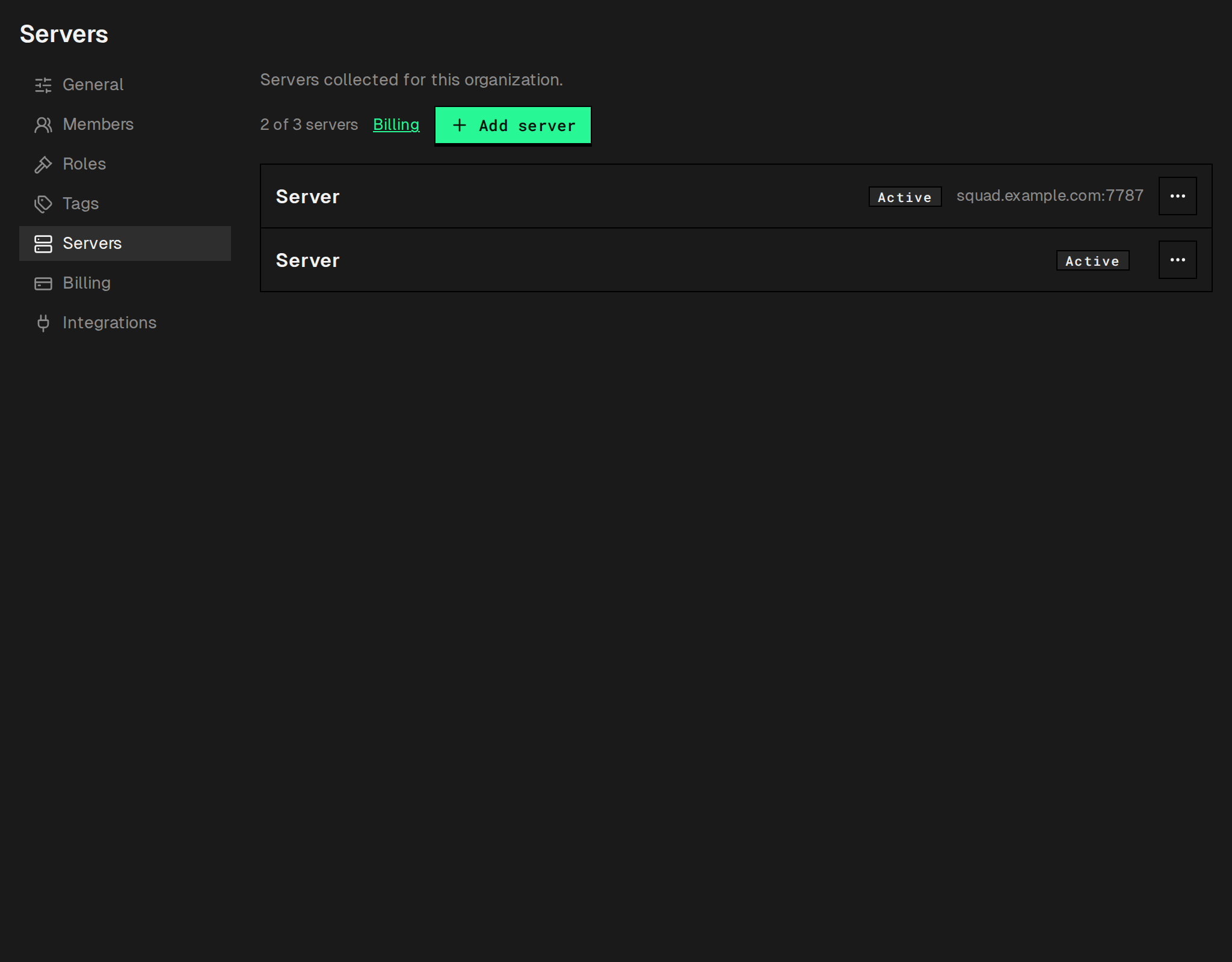
Section titled “Add a second server”- Open Settings → Servers for your organization and click Add server.
- Fill in the connection form — the same fields as when you connected your first server. See Connect your first server for what each field holds — then click Add server in the dialog.
If your organization already has as many running servers as your allowance covers, the Add server
button is disabled with the hint “Server limit reached”. Pausing a server (row menu ⋮ → Pause) frees up
a slot without losing its history, bans, or settings; Resume in the same menu is disabled over the allowance, with the hint “Pause another server or add servers in Billing”. To raise the allowance itself on a live
subscription, change the number of servers in Settings → Billing (owner only); the charge is prorated
immediately and the new allowance applies once Paddle confirms the change. The Paddle customer
portal (Settings → Billing → Manage subscription) covers the payment method and cancellation. If server creation is frozen platform-wide, it fails instead with
Server creation is frozen (N).
When the allowance drops
Section titled “When the allowance drops”If the allowance falls below the number of running servers, heliana pauses the newest servers automatically. When the allowance returns, servers paused this way resume on their own, oldest first; servers you paused by hand stay paused. See Plans and limits.
Switch between servers
Section titled “Switch between servers”Use the server selector in the server’s header on the Dashboard to switch which server’s data you’re viewing. Each server in the list is labelled Active or Paused; the selected one reads Not collecting while any of its channels is down (see Server won’t connect) and Collecting otherwise.
Shared vs. per-server data
Section titled “Shared vs. per-server data”| Data | Scope |
|---|---|
| Player identities | Global — shared across every organization on heliana, not just yours |
| Ban records | Organization-wide, scoped to all servers or one |
| Access lists | Organization-wide, with an optional per-list server scope |
| Tags | Organization-wide |
| Team members and roles | Organization-wide |
| Automations | Organization-wide, with an optional per-automation server scope |
| Live feed and combat data | Per-server |
Player identity rows (name, EOS/Steam ID) aren’t organization-scoped — they’re a shared identity graph across the whole platform, so the same player is recognized the same way in any organization they show up in. Notes and access-list and tag memberships stay yours alone. Your active bans are visible to other organizations as a read-only cross-community signal (reason, date, expiry) in the Other communities block on the player’s Bans tab — see Ban schema.
Edit a server
Section titled “Edit a server”- Open Settings → Servers and click the server’s row to open its page (the General, Connection and Seeding tabs; Seeding appears only if your role can configure seeding).
- To update credentials — for example after rotating an RCON password — edit the relevant fields and save. Leave the RCON password or SFTP password fields blank to keep the existing saved secret.