See your first live event
After your server is created, heliana takes you to the Dashboard. The Live feed panel on that page streams events in real time — most of them parsed from the Squad log over SFTP, with chat arriving separately over RCON. You can return to it any time by selecting your server and opening Dashboard in the sidebar.
What the feed shows
Section titled “What the feed shows”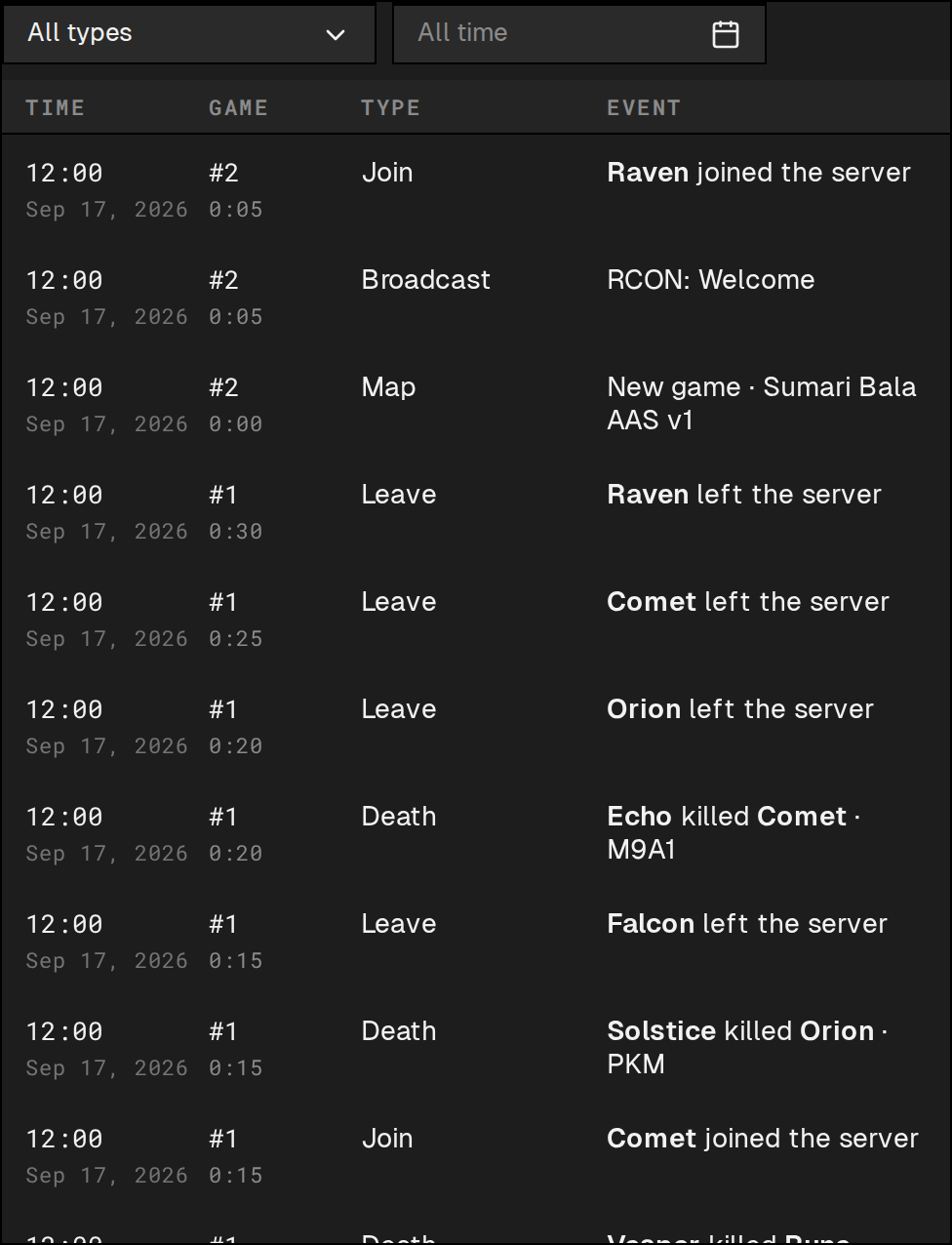
Each row in the Live feed shows:
- Time — when the event happened, in your local timezone, with the date beneath it.
- Game — the match number (
#N) and in-game clock time when the event occurred. - Type — the event category: for example Chat, Join, Leave, Death, or Round.
- Event — a plain-language summary of what happened, including player names (click one to open their profile) and context such as weapon or chat message text.
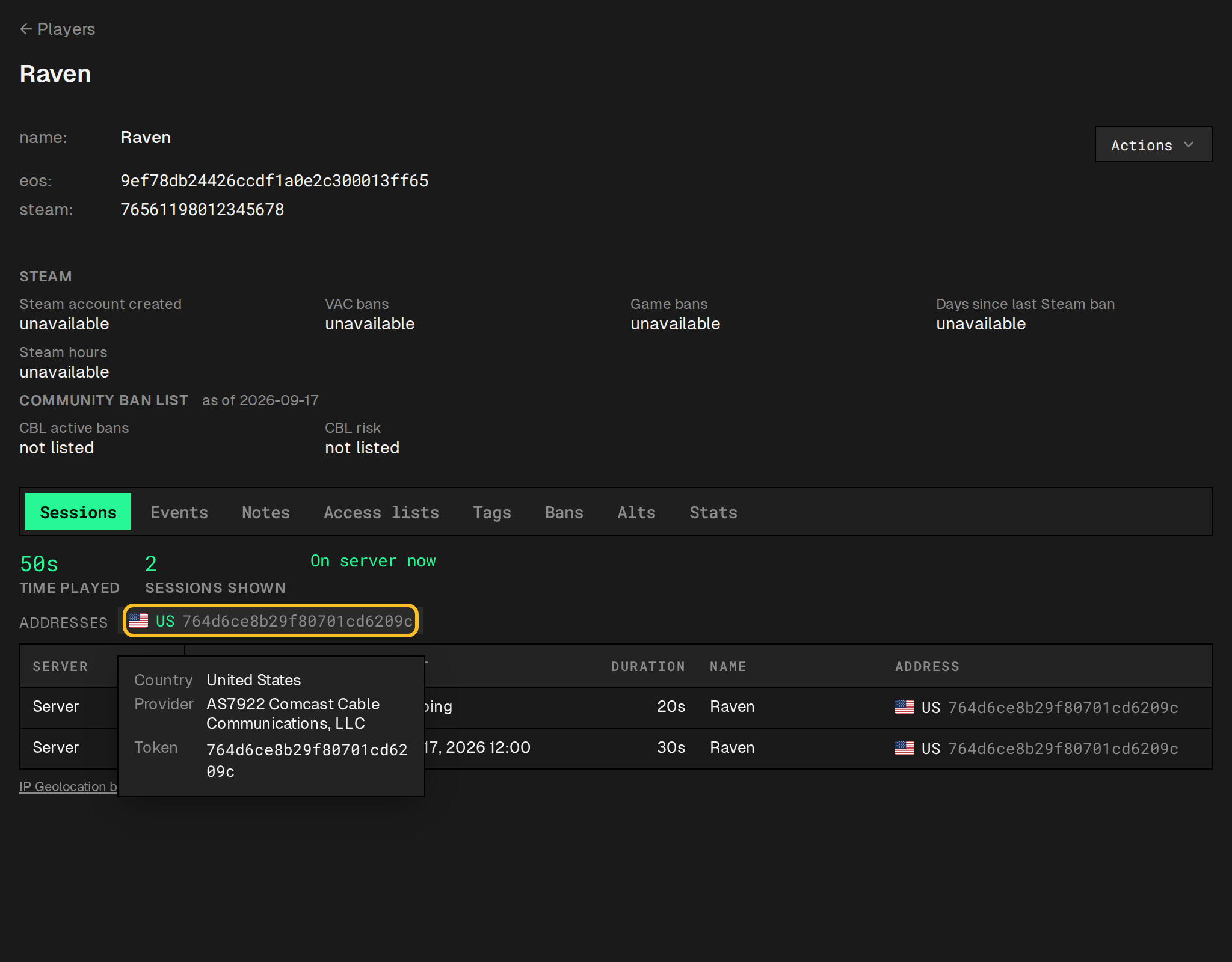
Opening a player’s profile and switching to its Sessions tab also shows the addresses they connected from, for roles allowed to see addresses: each is a masked token with a country flag, and clicking it opens the country and network provider looked up from the IP.
Filtering the feed
Section titled “Filtering the feed”Filter by type (default: All types) to limit the feed to one category, and by date (default: All time) to scope it to a specific window.
No events yet
Section titled “No events yet”If the server was just added, the panel is briefly empty while heliana catches up. Once it has loaded, it shows either the matching events or No events. if none are found yet.
Events begin appearing once heliana has parsed the first batch of log lines. On an active server this typically takes under a minute. On an idle server, the first events appear when the next player connects.
The clearest sign that log parsing is working is seeing Join and Leave events as players connect and disconnect. Chat events can show up even faster, but that’s RCON, not the log — seeing chat alone doesn’t confirm log parsing is working.
If several minutes pass without events despite server activity, the SFTP connection may not have been established correctly. See No events are coming in for a checklist.
New events at the live edge
Section titled “New events at the live edge”When you scroll down into older events and new ones arrive at the top of the feed, an ↑ N new button appears over the panel. Click it to jump back to the live edge.